

 USD
USD EUR
EUR GBP
GBP CAD
CAD AUD
AUD PLN
PLN CNY
CNY JPY
JPY SEK
SEK
 English
 简体中文
简体中文 繁体中文
繁体中文 Deutsche
 Italiano
 한국어
한국어 日本語
日本語 عربى
عربى русский
 français
 Türk
Türk Română
 Magyar
 Español
 Português
 Nederlands
 čeština
 Polska
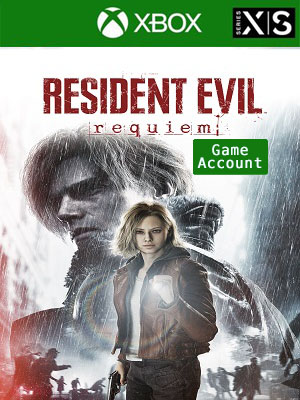
 NO KEY - YOU WILL RECEIVE AN ACCOUNT THAT WILL ALLOW YOU TO DOWNLOAD THE GAME.
 Xbox Live
 Global
 English
 Spanish
 Portuguese
 Japanese
 Italian
- + SEE ALL


NO KEY - You will receive an Account that will allow you to download the game. You will be able to play it from your own account, forever.
We offer lifetime warranty for our products. If you cannot access the account you received, we will give you a new one for free. The warranty gets voided if you change the email address or any other info of the account.
Description
A new era of survival horror arrives with Resident Evil Requiem, the latest and most immersive entry yet in the iconic Resident Evil series.
Experience terrifying survival horror with FBI analyst Grace Ashcroft, and dive into pulse-pounding action with legendary agent Leon S. Kennedy.
Both of their journeys and unique gameplay styles intertwine into a heart-stopping, emotional experience that will chill you to your core.
To install the games on XBOX Series X|S
Press the X button on the controller and navigate all the way to the right on the "Profile & System" tab
Navigate to "Add or switch" and pick it
Click "Add new" on the bottom left
Type in the email received from us, make sure you don't mistype I (uppercase i) with l (lowercase L)
Type in the password, remember that password is case sensitive and again, don't mistype I with l
Note: Sometimes a security code is needed (because you log in from a new device), press Next and get your login code from this page. Type in the code and confirm
Click "Next"
Click "No thanks"
Click "Next"
Select "No barriers"
On the "Link controller" screen click "Skip this"
Click "No thanks"
On the added account homescreen go to "My games & apps"
Navigate to "Full library" and click on "All owned games"
In there you will find the game you purchased
Pick the game and click "Install all"
Now press the X button (home) on your controller again and go to "Settings"
Navigate to "General" and click "Personalization"
Navigate to "My home Xbox"
Here you should see the option "Make this my home Xbox" checked. Leave it like that
Now press the X button (home) on your controller again and navigate all the way to the right on the "Profile & System" tab then click "Add or switch"
Now click on your account and now you are done. Enjoy your new game!
If you cannot play the game on your main account, verify again if the purchased account is activated as Home Xbox