

 USD
USD EUR
EUR GBP
GBP CAD
CAD AUD
AUD PLN
PLN CNY
CNY JPY
JPY SEK
SEK
 English
 简体中文
简体中文 繁体中文
繁体中文 Deutsche
 Italiano
 한국어
한국어 日本語
日本語 عربى
عربى русский
 français
 Türk
Türk Română
 Magyar
 Español
 Português
 Nederlands
 čeština
 Polska
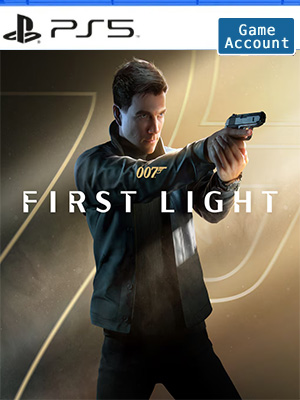
 NO KEY - YOU WILL RECEIVE AN ACCOUNT THAT WILL ALLOW YOU TO DOWNLOAD THE GAME.
 PSN
PSN
 Global
 English
 English - US


NO KEY - You will receive an Account that will allow you to download the game. You will be able to play it from your own account, forever.
We offer lifetime warranty for our products. If you cannot access the account you received, we will give you a new one for free. The warranty gets voided if you change the email address or any other info of the account.
Follow James Bond as a young, resourceful and sometimes reckless recruit in MI6's training program, and discover an origin story of the world’s most famous spy.
After a heroic act, young Naval air crewman James Bond is offered to join the newly revived Double 0 program. But when a mission to stop a rogue agent ends in tragedy, he must join forces with his reluctant mentor Greenway to expose a deep conspiracy and stop a looming coup at the heart of the State.
BECOME 007
Discover a new standalone, re-imagined James Bond origin story, and the events that lead an audacious young hero to become the best MI6 agent.
A THRILLING ESPIONAGE ADVENTURE
Embark on missions in breathtaking locations, drive iconic vehicles, and dive into a cinematic adventure in pursuit of a rogue agent who’s always one step ahead.
SPYING, YOUR WAY
Go silent or go loud. Whether fighting with fists or firepower, using gadgets to infiltrate, or bluffing your way past guards, the approach is entirely up to you.
WELCOME TO MI6
Test your skills and replay your favorite missions with additional modifiers, for endless espionage fun!
JOIN THE COMMUNITY CHALLENGE & GET REWARDS
The mission is simple: rally together and unlock the wishlist milestones for 007 First Light. With every milestone reached, new in-game and community rewards are unlocked, adding style, sophistication, and a secret reward.
Sign-up to IOI Account to claim the community unlocks. More wishlists unlocks collective rewards each time you reach a new tier.
Account Tutorial-PS5
Step 1. Visit your PS5 home screen and click on your avatar in the upper right corner and select "Add User".
Step 2. Click on the "Start" button on the left side of the screen.
(Do not use the "One-time Guest" option.)
Step 3. Check "I Agree" and click "Confirm".
Step 4. Select "Manual Login"
Step 5. Enter the email address and password you received when you purchased and click "Sign In".
Step 6. Enter the verification code received in your email address.
(If the verification code does not work, use this page to get a new one or ask for help in the lower right corner of the page.)
Step 7. If you are asked to upgrade your account, skip this step.
However, if you have already upgraded your account, please contact us through Live Chat to get a new verification code.
Click "OK" to log in.
Step 8. Go to "Game Library" and your game will appear there.
Step 9. Select "Manual Login" and select the new game and click "Download".
Step 10. Now you can switch back to your personal account, wait for the game to download, and start playing!