

 USD
USD EUR
EUR GBP
GBP CAD
CAD AUD
AUD PLN
PLN CNY
CNY JPY
JPY SEK
SEK
 English
 简体中文
简体中文 繁体中文
繁体中文 Deutsche
 Italiano
 한국어
한국어 日本語
日本語 عربى
عربى русский
 français
 Türk
Türk Română
 Magyar
 Español
 Português
 Nederlands
 čeština
 Polska
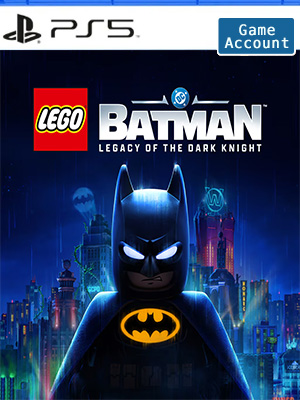
 NO KEY - YOU WILL RECEIVE AN ACCOUNT THAT WILL ALLOW YOU TO DOWNLOAD THE GAME.
 PSN
PSN
 Global
 English
 French
 English - US
 German
 Italian
- + SEE ALL


NO KEY - You will receive an Account that will allow you to download the game. You will be able to play it from your own account, forever.
We offer lifetime warranty for our products. If you cannot access the account you received, we will give you a new one for free. The warranty gets voided if you change the email address or any other info of the account.
• Main Story
- Bruce Wayne’s journey from origin to legend as he trains with The League of Shadows, becomes the hero of Gotham City, and forges a new family of allies with Jim Gordon, Catwoman, Robin, Nightwing, and Batgirl. Confront an ever-growing threat from across Batman’s Rogues Gallery as you face The Joker, The Penguin, Mr. Freeze, Poison Ivy, Bane, and more.
• 7 Playable Characters
- Batman, Jim Gordon, Robin, Nightwing, Batgirl, Catwoman, and Talia al Ghul each bring unique skills and signature gadgets as you uncover crimes, complete challenges, and explore an immersive Gotham City full of secrets and surprises.
• 100 Suits
- Inspired by Batman’s 86-year legacy, you’ll find an array of Batsuits alongside individual outfits for every playable character.
• 20+ Vehicles
- A range of Batmobiles and Batcycles to drive around Gotham City's open world in style. Including iconic rides like the legendary Tumbler.
• 250+ Batcave Props & Trophies
- Customize and display a wide range of items to personalize your Batcave and celebrate your achievements.
Account Tutorial-PS5
Step 1. Visit your PS5 home screen and click on your avatar in the upper right corner and select "Add User".
Step 2. Click on the "Start" button on the left side of the screen.
(Do not use the "One-time Guest" option.)
Step 3. Check "I Agree" and click "Confirm".
Step 4. Select "Manual Login"
Step 5. Enter the email address and password you received when you purchased and click "Sign In".
Step 6. Enter the verification code received in your email address.
(If the verification code does not work, use this page to get a new one or ask for help in the lower right corner of the page.)
Step 7. If you are asked to upgrade your account, skip this step.
However, if you have already upgraded your account, please contact us through Live Chat to get a new verification code.
Click "OK" to log in.
Step 8. Go to "Game Library" and your game will appear there.
Step 9. Select "Manual Login" and select the new game and click "Download".
Step 10. Now you can switch back to your personal account, wait for the game to download, and start playing!