

 USD
USD EUR
EUR GBP
GBP CAD
CAD AUD
AUD PLN
PLN CNY
CNY JPY
JPY SEK
SEK
 English
 简体中文
简体中文 繁体中文
繁体中文 Deutsche
 Italiano
 한국어
한국어 日本語
日本語 عربى
عربى русский
 français
 Türk
Türk Română
 Magyar
 Español
 Português
 Nederlands
 čeština
 Polska
 NO KEY - YOU WILL RECEIVE AN ACCOUNT THAT WILL ALLOW YOU TO DOWNLOAD THE GAME.
 PSN
PSN
 Global
 English
 Spanish
 Portuguese
 Japanese
 Italian
- + SEE ALL


NO KEY - You will receive an Account that will allow you to download the game. You will be able to play it from your own account, forever.
We offer lifetime warranty for our products. If you cannot access the account you received, we will give you a new one for free. The warranty gets voided if you change the email address or any other info of the account.
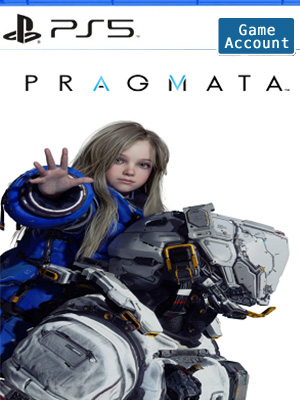
Pragmata is a unique, sci-fi action-adventure game from Capcom.
Follow Hugh, a member of an ill-fated investigation team, and Diana, a young android, as they navigate a lunar facility taken over by rogue AI in search of a way to Earth.
ONE TRAGIC ACCIDENT. AN UNLIKELY DUO.
At a remote lunar research facility, humanity discovers a new ore—one that, when properly refined, can be used to create almost anything using 3D printers.
When the facility suddenly falls silent, Hugh and his team are dispatched to investigate...but then disaster strikes.
Hugh is saved by Diana, a lone android wandering the complex. The two of them must join forces to find a way off the moon while working their way through an AI-controlled facility bent on stopping them.
Half-realized replicas of human civilization sprawl across the lunar surface, while inside, only scattered traces of the facility's vanished inhabitants remain. What buried truth awaits at the end of Hugh and Diana's journey?
TAKE CONTROL OF TWO CHARACTERS—AT THE SAME TIME.
Guide both Hugh as he moves, shoots, and jumps, and Diana, who hacks at the same time.
Enjoy a fresh, new blend of gameplay in this truly unique system that will push your brain to its limits.
Account Tutorial-PS5
Step 1. Visit your PS5 home screen and click on your avatar in the upper right corner and select "Add User".
Step 2. Click on the "Start" button on the left side of the screen.
(Do not use the "One-time Guest" option.)
Step 3. Check "I Agree" and click "Confirm".
Step 4. Select "Manual Login"
Step 5. Enter the email address and password you received when you purchased and click "Sign In".
Step 6. Enter the verification code received in your email address.
(If the verification code does not work, use this page to get a new one or ask for help in the lower right corner of the page.)
Step 7. If you are asked to upgrade your account, skip this step.
However, if you have already upgraded your account, please contact us through Live Chat to get a new verification code.
Click "OK" to log in.
Step 8. Go to "Game Library" and your game will appear there.
Step 9. Select "Manual Login" and select the new game and click "Download".
Step 10. Now you can switch back to your personal account, wait for the game to download, and start playing!