

 USD
USD EUR
EUR GBP
GBP CAD
CAD AUD
AUD PLN
PLN CNY
CNY JPY
JPY SEK
SEK
 English
 简体中文
简体中文 繁体中文
繁体中文 Deutsche
 Italiano
 한국어
한국어 日本語
日本語 عربى
عربى русский
 français
 Türk
Türk Română
 Magyar
 Español
 Português
 Nederlands
 čeština
 Polska
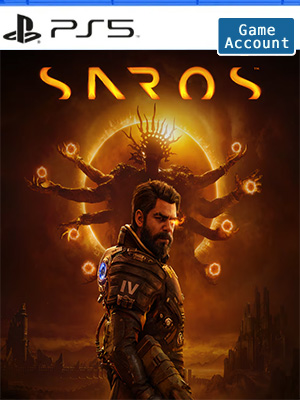
 NO KEY - YOU WILL RECEIVE AN ACCOUNT THAT WILL ALLOW YOU TO DOWNLOAD THE GAME.
 PSN
PSN
 Global
 English
 Portuguese
 Spanish
 English - US
 French


NO KEY - You will receive an Account that will allow you to download the game. You will be able to play it from your own account, forever.
We offer lifetime warranty for our products. If you cannot access the account you received, we will give you a new one for free. The warranty gets voided if you change the email address or any other info of the account.
Beneath the shadow of an ominous eclipse, Arjun Devraj (Rahul Kohli) is a Soltari enforcer who will stop at nothing to pursue answers on the shape-shifting Carcosa, a world of dark secrets and hostile inhabitants.
Master electrifying bullet ballet combat – intense projectile-focused gameplay with a unique, neon-infused esthetic – to overcome ferocious enemies and spectacular boss fights.
Housemarque returns
With decades of experience crafting adrenaline-fueled, arcade-inspired mechanics, Housemarque is back with the next evolution of the award-winning, third-person action seen in Returnal.
Bullet Ballet
Unleash a high-tech arsenal as you dodge, shield and parry enemy attacks in a fluid, flow-state-inducing dance. Combine abilities and learn enemy bullet patterns to gain the upper hand when the odds seem stacked against you.
Permanent Progression
Augment your loadout using an evolving set of weapons and upgrades. After every run you’ll face a changed world, but the resources you gain will ensure Carcosa yields to you. With Second Chance you’ll be revived instantly on your first death, getting you straight back into the action.
Lost Carcosa
Fight through mysterious biomes and dreamlike landscapes littered with ancient ruins and alien technology. Come back stronger after every death to break free of the shackles of your past as you uncover the true cost of your power.
Otherworldly sound design and musical score
Carcosa is brought to life by atmospheric, sci-fi-inspired 3D audio soundscapes – all punctuated by a dark, electronic-meets-drone-metal musical score from multi award-winning composer, Sam Slater.1
Account Tutorial-PS5
Step 1. Visit your PS5 home screen and click on your avatar in the upper right corner and select "Add User".
Step 2. Click on the "Start" button on the left side of the screen.
(Do not use the "One-time Guest" option.)
Step 3. Check "I Agree" and click "Confirm".
Step 4. Select "Manual Login"
Step 5. Enter the email address and password you received when you purchased and click "Sign In".
Step 6. Enter the verification code received in your email address.
(If the verification code does not work, use this page to get a new one or ask for help in the lower right corner of the page.)
Step 7. If you are asked to upgrade your account, skip this step.
However, if you have already upgraded your account, please contact us through Live Chat to get a new verification code.
Click "OK" to log in.
Step 8. Go to "Game Library" and your game will appear there.
Step 9. Select "Manual Login" and select the new game and click "Download".
Step 10. Now you can switch back to your personal account, wait for the game to download, and start playing!